Security Audit
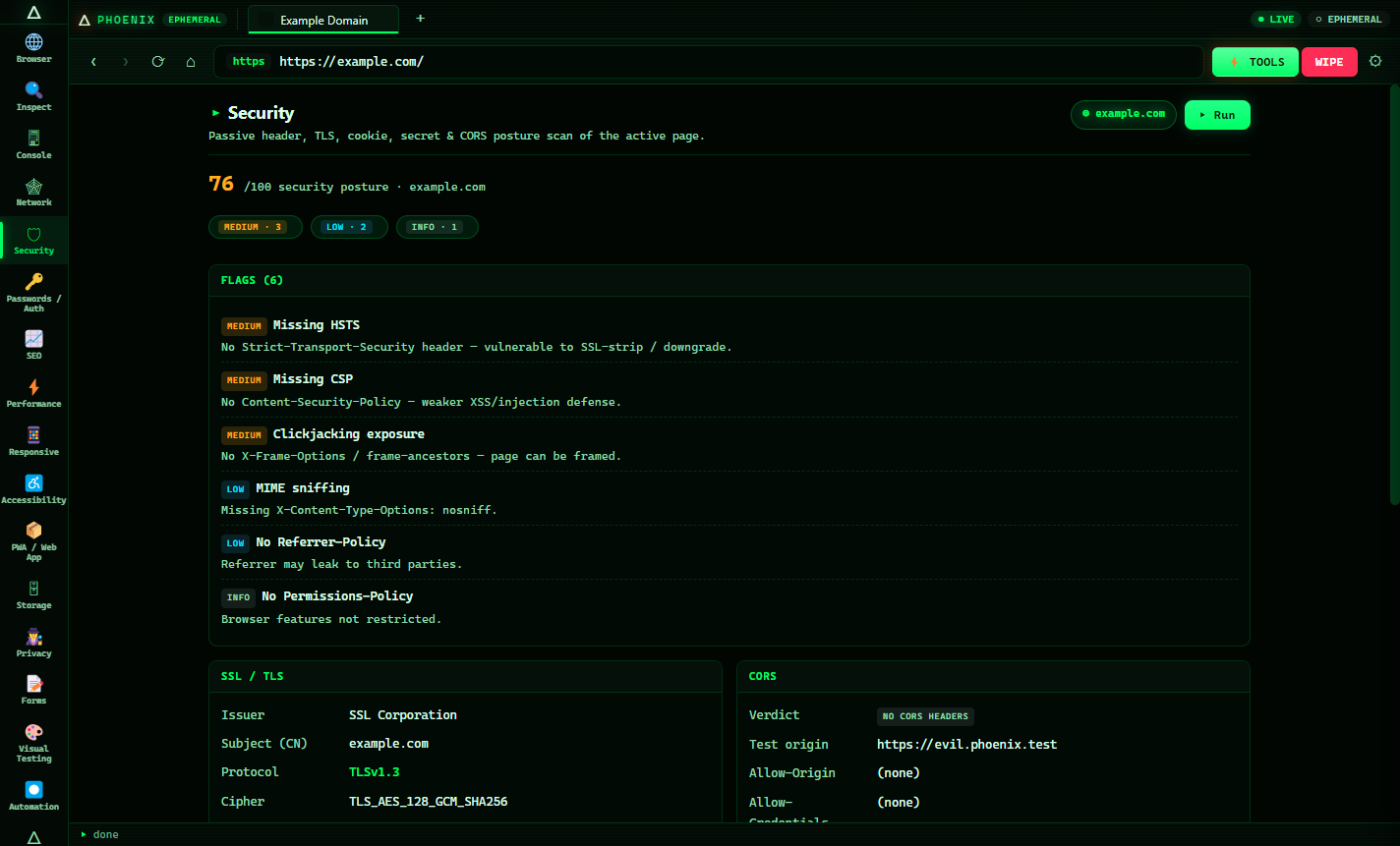
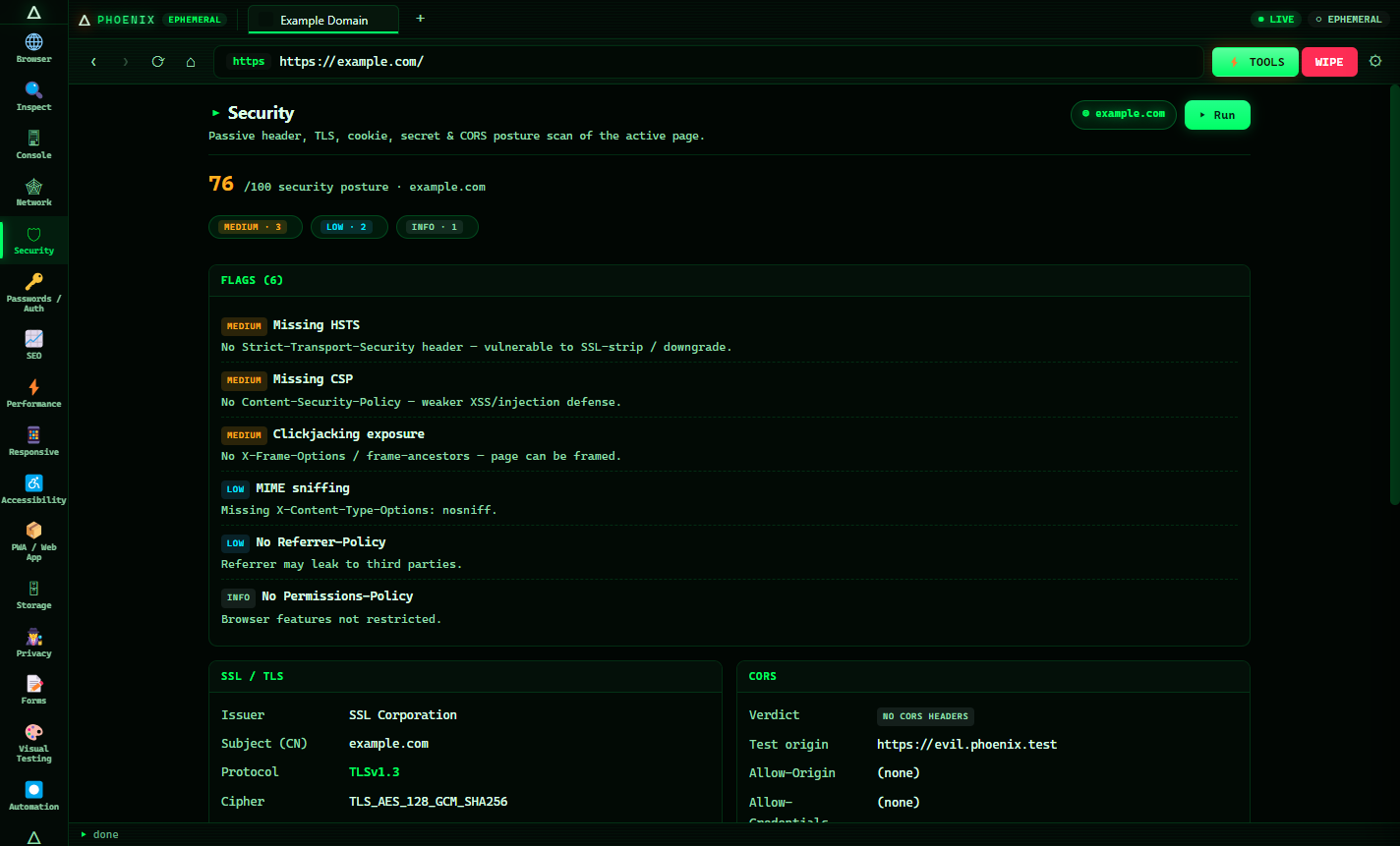
Headers, TLS, cookies, CORS, exposed .git/.env, JS secret leaks — with a posture score.
Phoenix stores zero cookies to disk and loads every page live — then arms you with a 20-section workbench and a 35-tool recon lab to inspect, audit and test any website. Built for developers, QA, SEO and authorized pentesters.
One window · twenty tools
Pick a section from the sidebar and it audits the page you're on — automatically. Results roll up into a single report you can export.
Headers, TLS, cookies, CORS, exposed .git/.env, JS secret leaks — with a posture score.
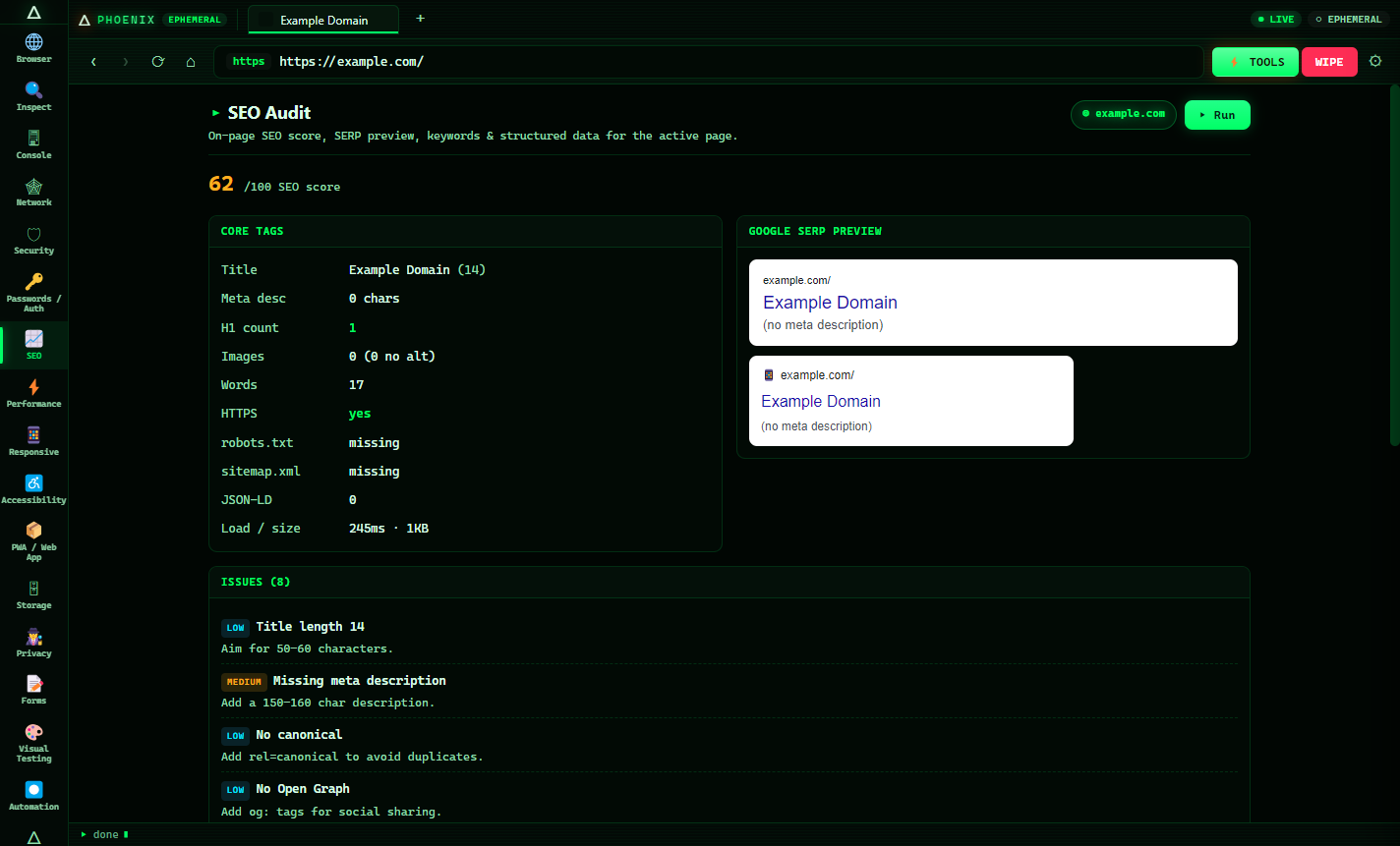
On-page score, Google SERP + mobile preview, keywords, robots & sitemap checks.
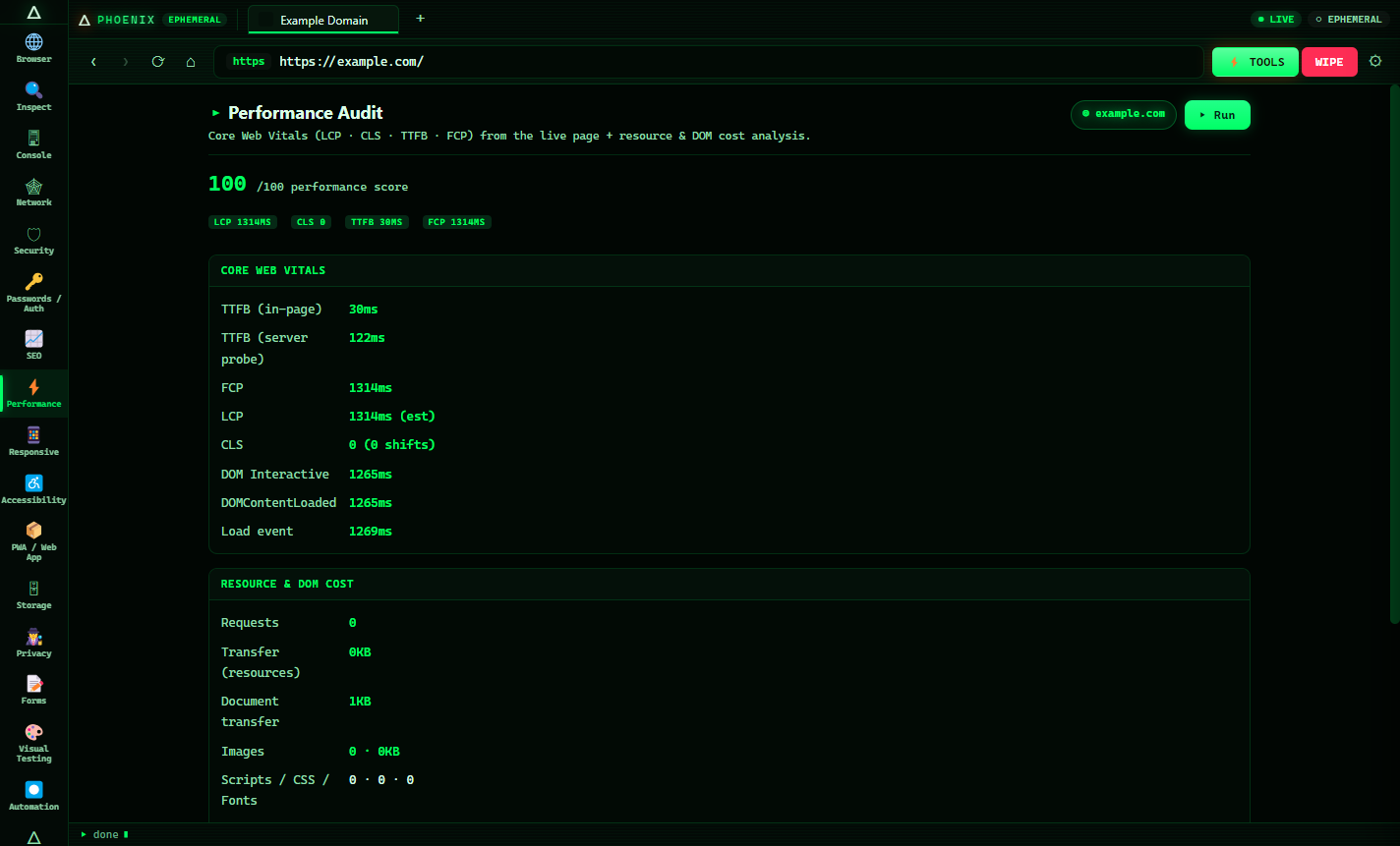
Web Vitals — LCP, CLS, TTFB, FCP — plus render-blocking & optimization tips.
WCAG checks: contrast, alt text, labels, ARIA, heading order — a11y score.
Resource-timing waterfall, weight breakdown, slow / large / third-party detection.
Trackers, third-party requests, consent banners & fingerprinting detection.
Cookies, localStorage, sessionStorage & IndexedDB with token & secret detection.
Manifest, service workers, installability score & framework detection.
Login/CSRF analysis, password strength + entropy, breach check, SPF/DMARC.
Record clicks & typing → export Playwright, Puppeteer or Selenium tests.
Explain findings, summarise pages, generate fixes — pluggable AI, offline mode.
Aggregate score dashboard, export HTML / JSON / Markdown for clients.
Hacking Lab · 35 keyless tools
Everything runs in the app's own engine — no CORS limits, no API keys, no accounts. For assets you own or are authorized to test.
See it in action
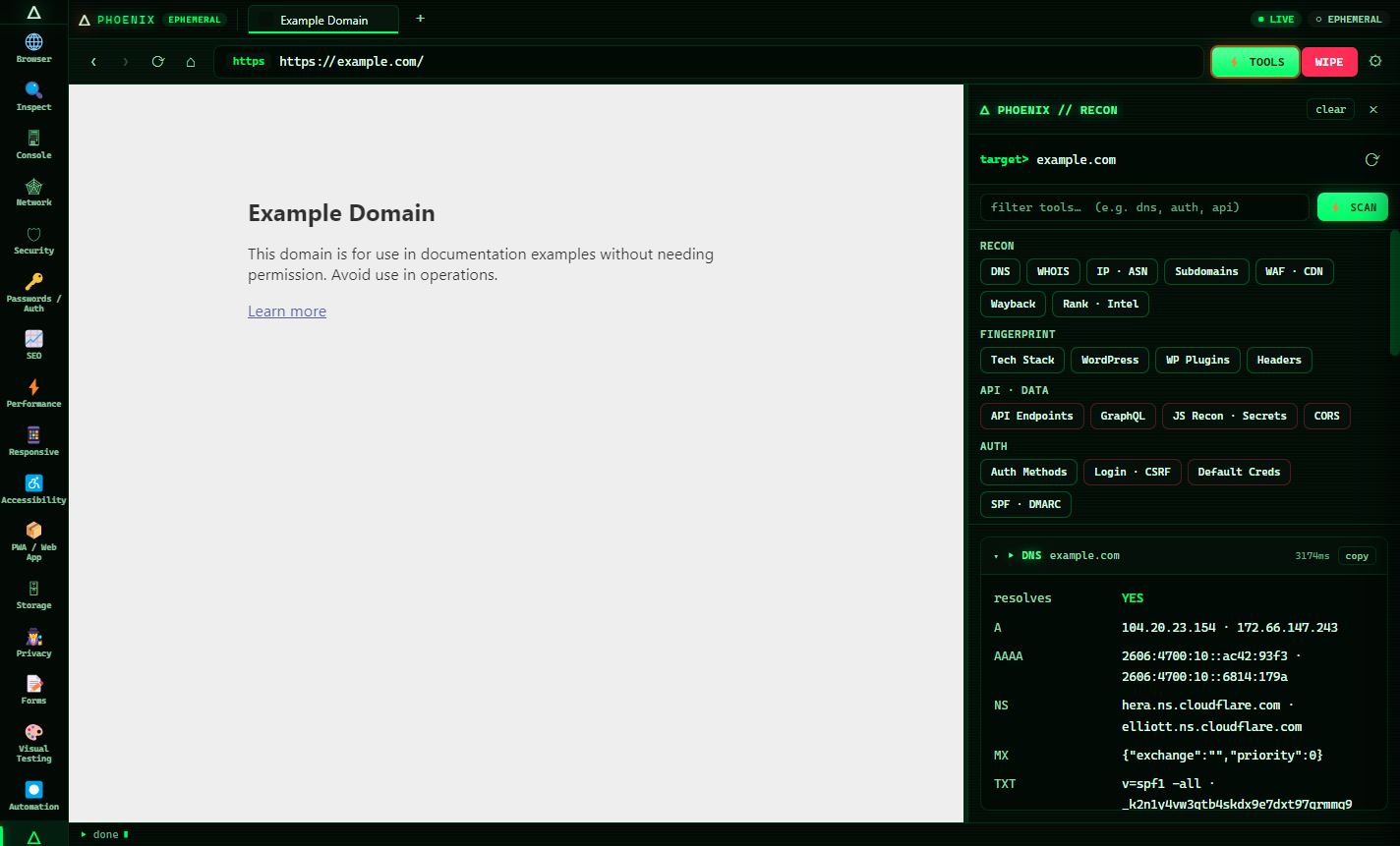
Phoenix analysing the demo domain example.com — every panel runs automatically.
Up and running in a minute
Grab the Setup .exe — or the portable build, which needs no install.
The build is unsigned, so SmartScreen may appear — click More info → Run anyway.
Open any site, pick a sidebar section, and Phoenix audits it automatically. Press F2 for the recon lab.
Ephemeral by design
Phoenix runs a RAM-only Chromium session with the HTTP cache disabled. Perfect for testing sites you're building — every reload is the real, live server.
Nothing is written to disk; the session is wiped on close and on launch.
no-cache, no-store on every request — you always see the current server response.
Ctrl+Shift+Del clears cookies, cache, storage & service workers instantly.
Free, open-source, keyless. All analysis uses public endpoints. No accounts, no tracking.
Answers
A free Chromium-based browser for Windows for developers, QA engineers, SEO specialists and authorized penetration testers. It pairs an ephemeral browser (no cookies stored, real-time loads) with a 20-section developer & security workbench and a 35-tool recon lab.
Yes — free and open-source under the MIT license. Download the Windows installer or portable build at no cost.
Download the Setup .exe, run it, and if SmartScreen appears click More info → Run anyway (the build is unsigned). A portable version that needs no installation is also available.
No. Phoenix uses a RAM-only session — nothing is written to disk and everything is wiped when you close the window. The HTTP cache is disabled so every page loads live.
Inspect, Console, Network, Security, Passwords/Auth, SEO, Performance, Responsive, Accessibility, PWA, Storage, Privacy, Forms, Visual, Automation, Reports and an AI Analyst — plus a 35-tool recon lab (DNS, WHOIS, SSL, subdomains, tech-stack, WordPress, API discovery, secret scanning, CVE lookup, port scan and more).
Yes, for websites you own or are authorized to test. The offensive modules are for assets you own or have written permission to test. You are responsible for lawful use.
Free · ~79 MB · Windows 10 / 11 (x64).
⚠️ Authorized use only. The recon & security tools are intended solely for assets you own or have explicit written permission to test.